Self-Service Reports and Smart Notifications: June in AmplySales
Reports You Build Yourself, Notifications That Find You: June in AmplySales
Every sales team we talk to asks the same three questions, in some form. How is my pipeline actually doing? What needs my attention right now? And when is all this work supposed to happen? Most CRMs answer with "export it to a spreadsheet," "keep checking," and "that's what the calendar is for."
Our June release is built around answering those three questions properly. Here's what we shipped and why it matters to your workday.
"How is my pipeline actually doing?"
Until now, answering that meant asking someone technical or massaging an export in Excel — and the answer was stale by the time you got it.
The new Reports tab lets anyone on the team build a tabular report on any CRM object: pick the columns, add filters, set a default sort. Save it privately or share it with the whole organization, then run it whenever the question comes up — and export to CSV when your accountant, investor, or Monday meeting needs the numbers.
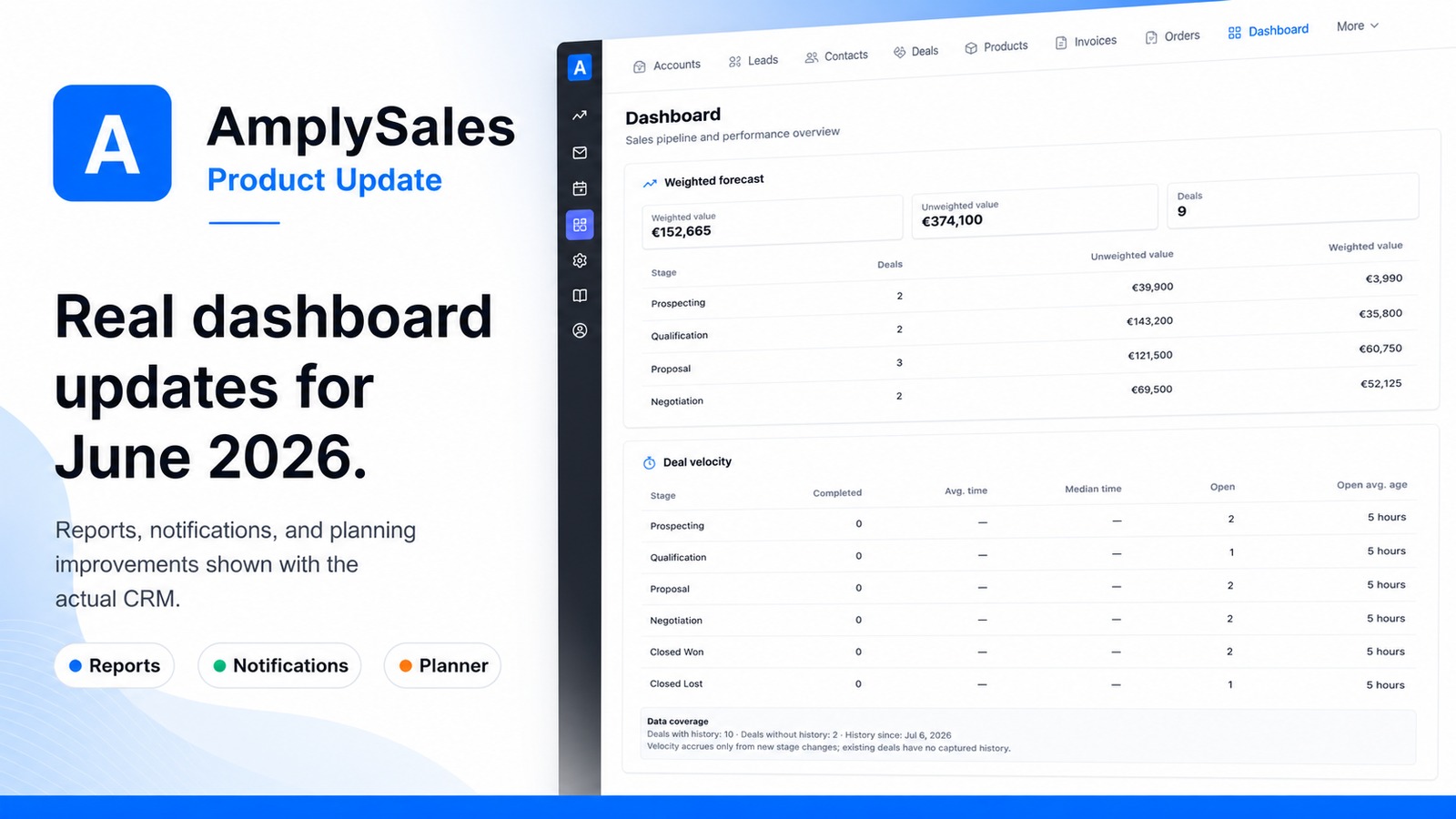
For the recurring version of the question, the Dashboard now carries weighted forecast and deal-velocity panels (they appear once the corresponding reports are configured for your organization). Instead of adding up deal amounts by hand, you see what the pipeline is realistically worth — weighted by stage — and whether deals are speeding up or slowing down. The end-of-month scramble becomes a glance.
"What needs my attention right now?"
Salespeople lose deals not because they can't sell, but because a reply sat unread for three days. The fix isn't discipline — it's plumbing.
AmplySales now has a real notification center: a bell with an in-app feed that collects what genuinely needs you. A record gets assigned to you. A customer email lands on an account you own. A task goes overdue. A deal you own changes stage (if you opt in). It's all in one place, and for the notifications you can't afford to miss, you can turn on immediate email delivery — so a hot reply finds you even when the CRM tab is closed.
You choose what's worth interrupting you. The point isn't more notifications — it's never again finding out on Thursday about something that happened on Monday.
"When is the work supposed to happen?"
Deals close on activities: the demo, the proposal, the follow-up, the onboarding. Those live in time, and a list view hides that.
The Planner's new Timeline view lays your tasks and dated records out Gantt-style, so a client onboarding that spans six weeks looks like six weeks — not twelve list rows. Drag to reschedule; the plan updates.
Just as important: tasks now link to any CRM record, including your custom objects. The follow-up you create from an email thread knows which deal it belongs to; open it from the Planner and the context comes with it. Work stops floating free of the customer it's for.
A dozen small things that add up
The headline features get the attention, but most of a workday is small friction. This release sands a lot of it down:
- Imports that survive real spreadsheets — semicolon-separated European CSV files, fixing unmatched values inside the wizard instead of re-uploading, and multiple values in one cell.
- Prospecting that respects your budget — configure ideal-customer (ICP) scoring in Settings and let bulk enrichment skip poor-fit companies automatically, so research spend goes where the fit is.
- Email that protects your reputation — personal signatures on everything you send, and warnings before you email an unconfirmed or risky address.
- Automations on a schedule — renewal reminders and no-activity follow-ups now run on dates, not just record edits.
- An assistant that keeps up — attach files, run several conversations at once, and work with it full-page.
- Your workspace, your look — default landing app, light/dark/true-black theme, and a personal color for Kanban and calendar accents.
Nothing to install, nothing to configure
Everything above is already live in your workspace. Admins will find the new notification preferences, ICP scoring, send-readiness policies, and client-portal options in Settings — everyone else just gets a CRM that answers faster.
Not using AmplySales yet? Tell us about your sales process or take a look at crm.amplysales.com.